Run the Hunyuan3D 2.1 template in ComfyUI#
2026-04-28
1 min read time
Hunyuan3D is an open-source 3D asset generation model released by Tencent, capable of generating high-fidelity 3D models with high-resolution texture maps through text or images.
Hunyuan3D 2.1 is Tencent’s 3D asset generation system that turns single images into production-ready 3D models with physically-based rendering (PBR) materials. This release includes improved texture quality with finer surface details and enhanced three-dimensional depth perception.
Setup#
To run this workflow:
Follow the ComfyUI on ROCm installation steps to set up the ComfyUI environment and launch the ComfyUI WebUI.
Select Template from the navigation panel on the left and search for Hunyuan 3D 2.1.
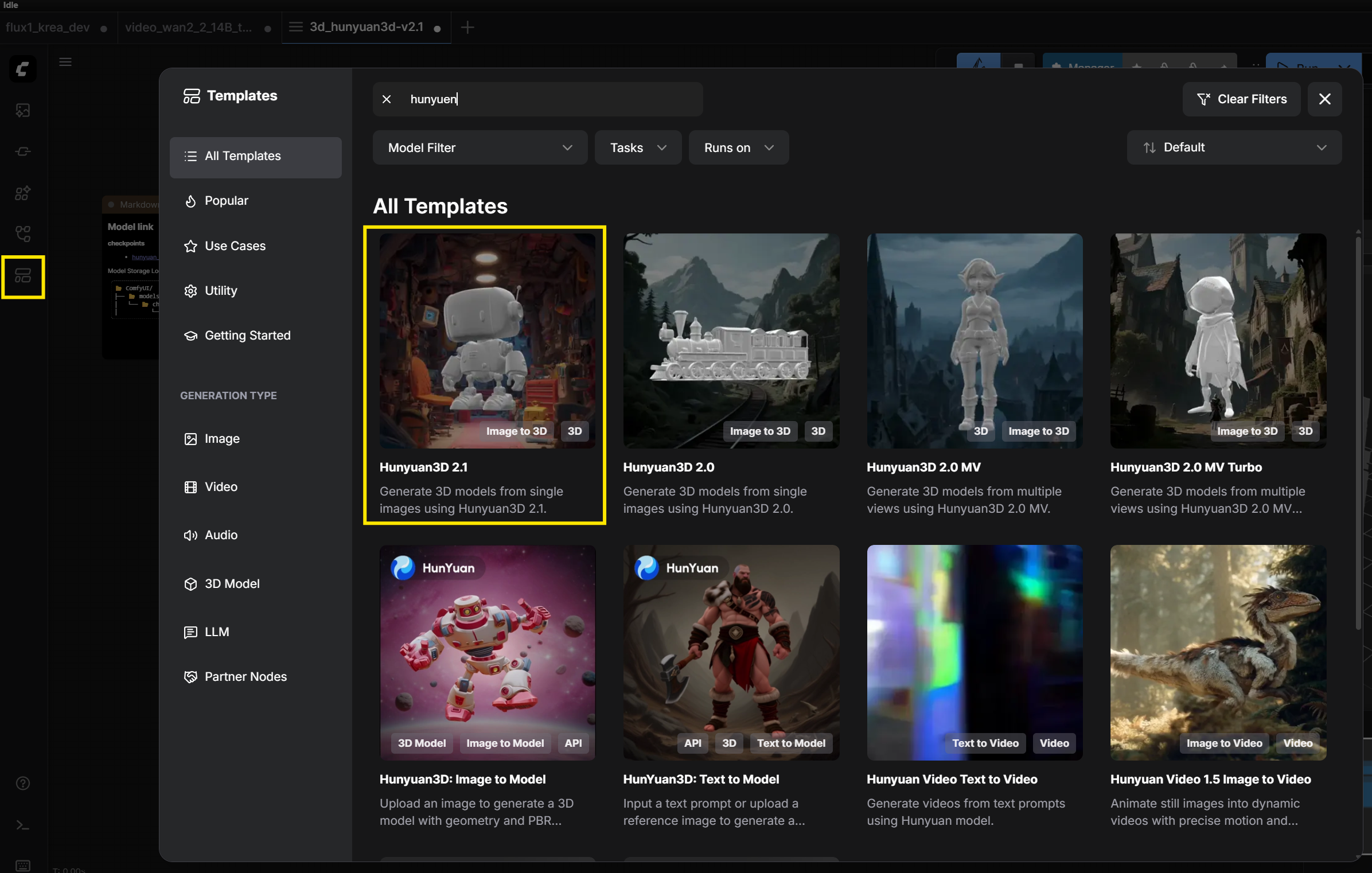
Double-click on Hunyuan3D 2.1 template.
Drag and drop an input image into the Step 2 - Upload image here node.
Example image: https://comfyanonymous.github.io/ComfyUI_examples/hunyuan_image/hunyuan_image_example.png
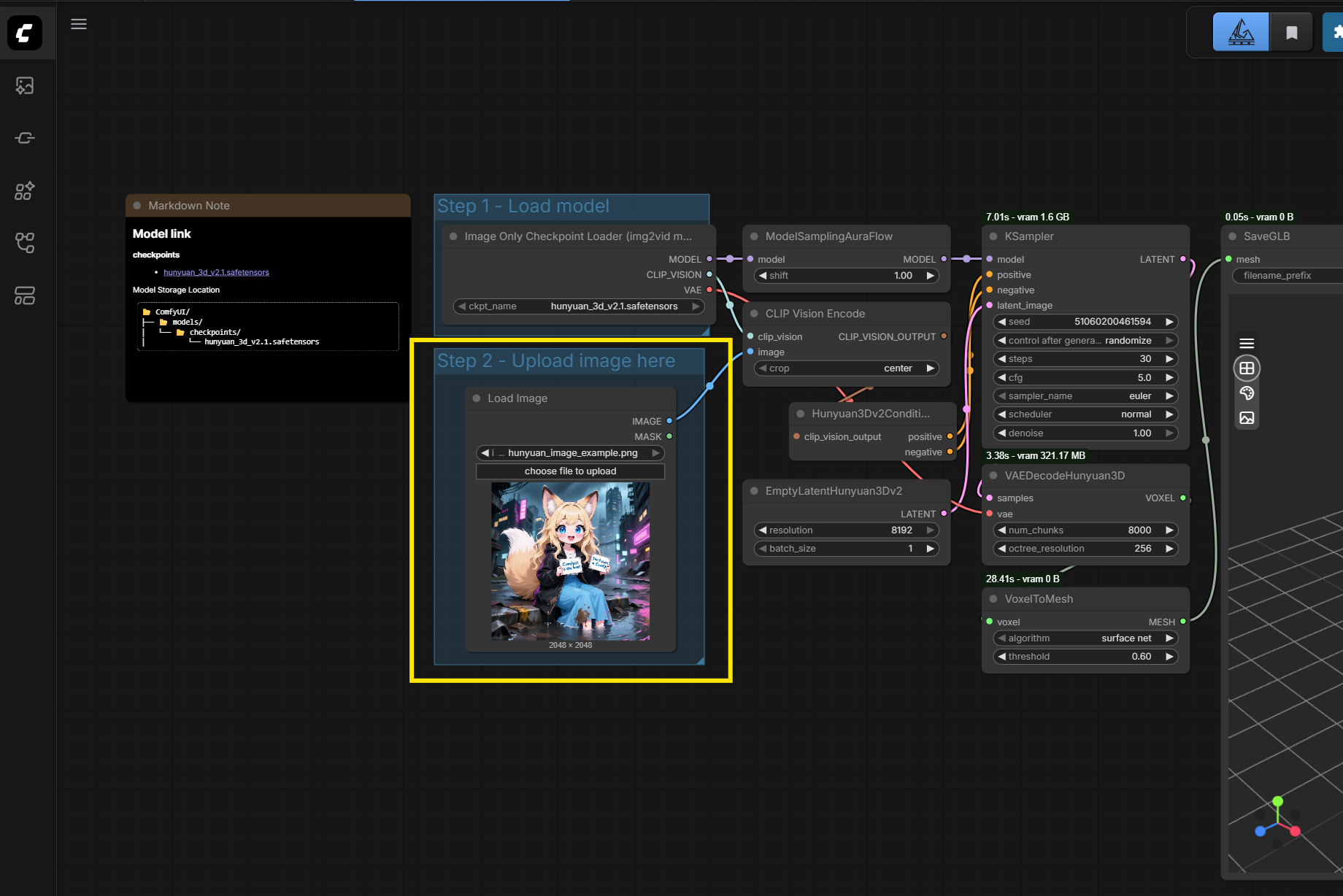
Click Run.

Modify resolution configuration#
To modify input resolution, edit the resolution option in the Empty LaternHunyuan3Dv2 node.