What is ROCm Optiq?#
ROCm Optiq is a unified visualization and analysis tool for performance data collected by ROCm profiling tools. It reads profiling databases produced by ROCm Systems Profiler and ROCprofiler-SDK, as well as analysis databases produced by ROCm Compute Profiler, and renders them in a unified interactive interface.
ROCm Optiq has no dependency on the ROCm stack itself, so trace and analysis files can be visualized on any machine running a supported Windows, Linux, or macOS operating system, independent of where the data was collected.
Visualize ROCm Systems Profiler traces#
Use ROCm Optiq to inspect CPU-GPU interactions, ROCm API calls, kernel execution timelines, memory usage, and system telemetry data for applications running on the ROCm stack.
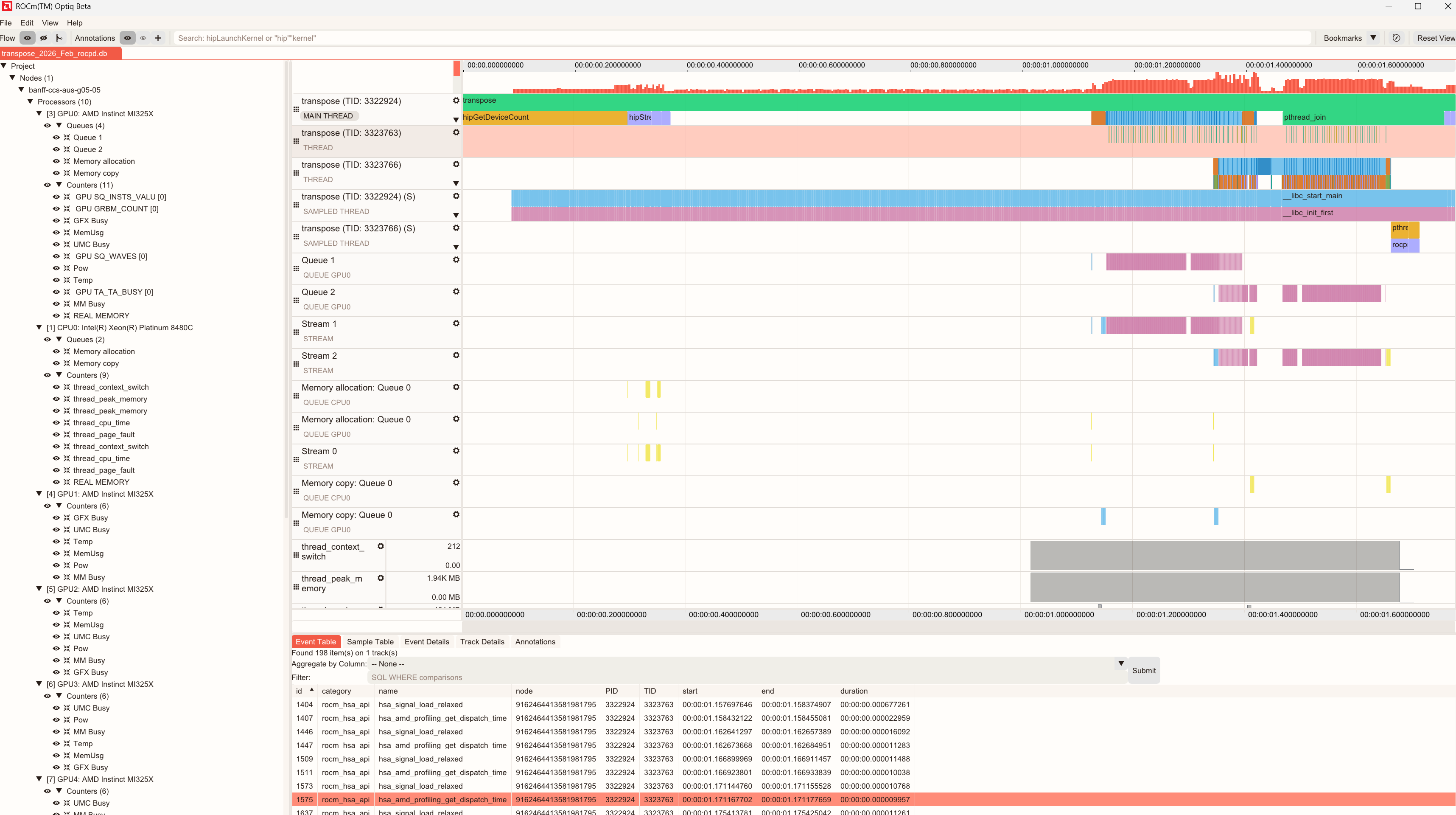
ROCm Optiq helps you identify stalls, memory bandwidth issues, and inefficient kernel launches. It correlates GPU workloads with in-application CPU events and performance with hardware resource usage, providing a holistic view for optimization.
Key views include:
System Topology View: Displays hardware (processors, queues, counters) and software hierarchy (processes, streams, threads, sampled threads), enabling clear navigation and correlation between application execution and hardware resources.
Timeline View: Displays CPU and GPU activities, events, and performance metrics in chronological order. It supports tools for zooming, filtering, and bookmarking for detailed analysis.
Advanced Details: Provides an in-depth view of profiling data, enabling you to analyze performance metrics and event-specific information. This section provides a unified interface for multiple data perspectives, offering granular insights.
Summary View: Displays the top 10 kernels by execution time using pie charts, bar charts, or tables.
Minimap: Provides a compact overview of event density and counter values across the entire trace, enabling rapid navigation of large datasets.
Analyze ROCm Compute Profiler data#
Use ROCm Optiq to visualize profiling analysis data to rapidly identify performance bottlenecks and explore kernel-level metrics for a profiled workload.
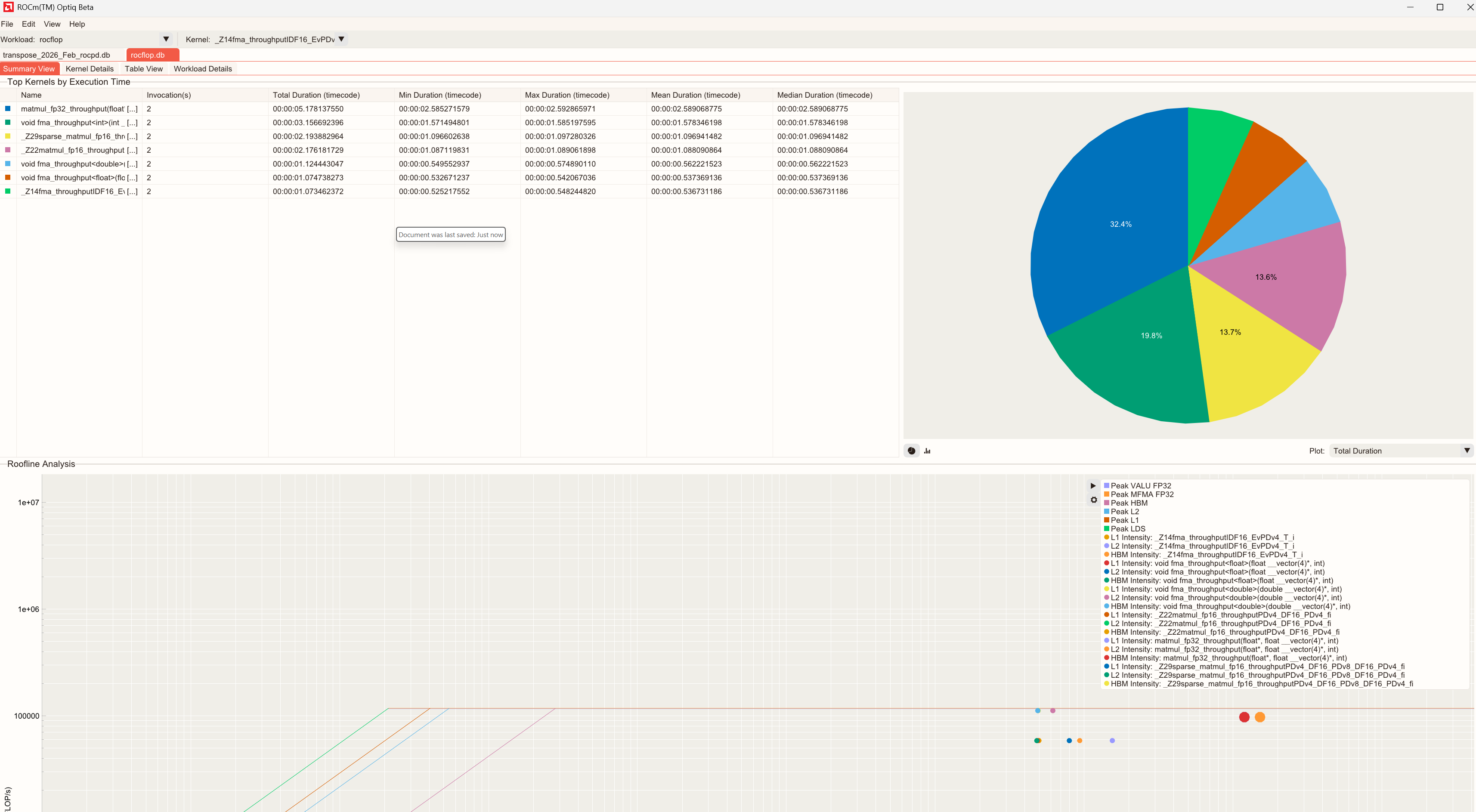
Key features include:
Summary View: High-level overview of the captured compute profiling data.
Kernel Details: Focuses on individual kernels.
Table View: Complete list of available metrics for the selected kernel. Metrics are grouped by category.
Workload Details: Contextual information about the profiled workload, including system information and profiling configuration.
Baseline Comparison: A side-by-side view that compares two workload measurements (baseline vs. target) to quickly identify and assess performance regressions or improvements.
Supported data sources#
Input format |
Extension |
Producer |
ROCm requirement (trace collection) |
|---|---|---|---|
ROCm Systems Profiler database |
|
ROCm 7.1.0 or later |
|
rocprofv3 database |
|
ROCm 7.1.0 or later |
|
ROCm Compute Profiler analysis database |
|
ROCm 7.12.0 or later |
|
ROCm profiling data |
|
— |
|
ROCm Optiq project file |
|
Saved from a previous ROCm Optiq session |
— |
For details on viewing each format, see View ROCm Systems Profiler trace data in ROCm Optiq and View ROCm Compute Profiler analysis data in ROCm Optiq. If a file doesn’t open, see trace troubleshooting and analysis troubleshooting.
Welcome page#
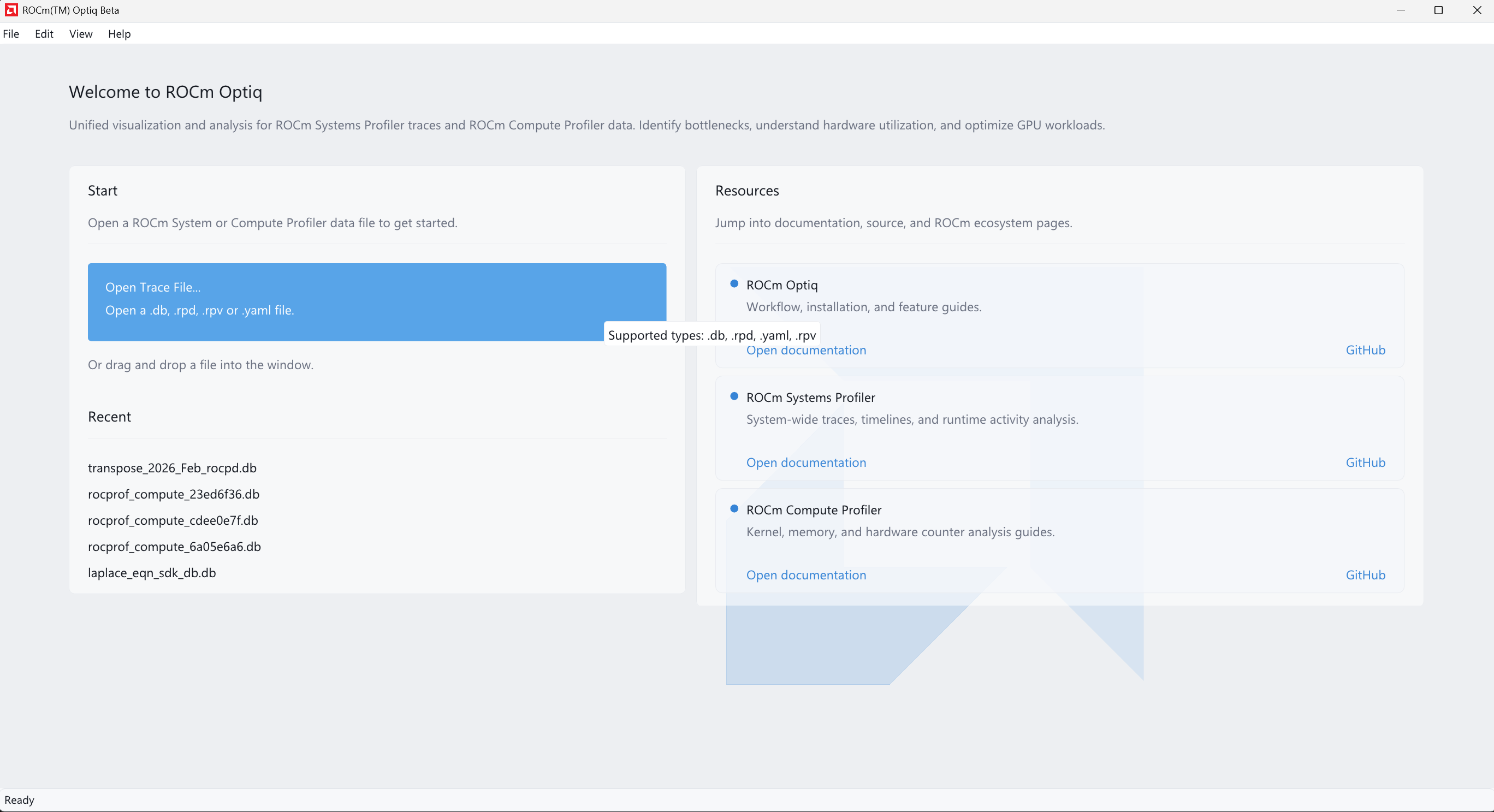
When ROCm Optiq starts without an open project, the Welcome page displays:
Open File: Open a trace (
.db,.rpd) or project (.rpv). You can also drag and drop a supported file into the window to open it.Recent files: Quick access to recently opened files.
Documentation links: For ROCm Optiq, ROCm Systems Profiler, and ROCm Compute Profiler documentation.
Note
Opening a file creates a new tab and activates it.
ROCm Optiq prevents opening a second tab for the same underlying trace database, including the case when a
.rpvproject references an already-open.db.