Run Cluster Validation Suite (CVS) burn-in and diagnostic test suites#
2026-10-26
3 min read time
Host validation, GPU burn-in, and preflight checks run before network, training, or inference workloads.
See also Run Cluster Validation Suite (CVS) test suites on AMD Instinct GPU clusters for common cvs run flags and workflow.
Test results#
Sample output snapshots from a health burn-in run.
Important
The numbers in these sample reports and screenshots (bandwidth, GFLOPS, and every other metric) are illustrative sample values, not final tuned results. They are shown only to illustrate the report layout.
HTML test report#
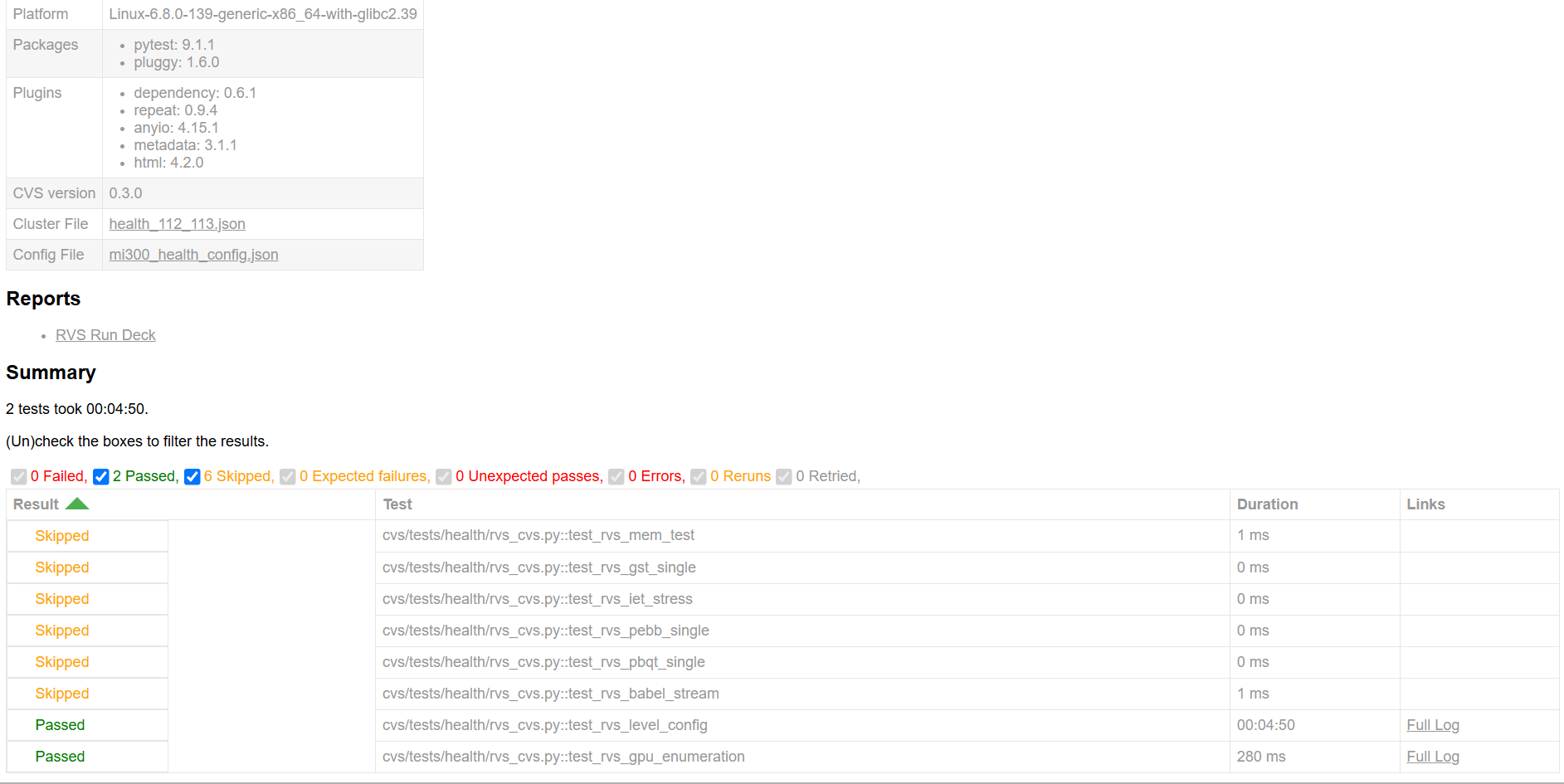
The pytest HTML report shows the environment block (CVS version, cluster file, config file), a link to the Run Deck, and a per-test result table with pass, fail, and skip verdicts for each RVS test and duration.
Run Deck report#
The Run Deck dashboard: run overview, measurement charts, heatmaps, and detailed results.
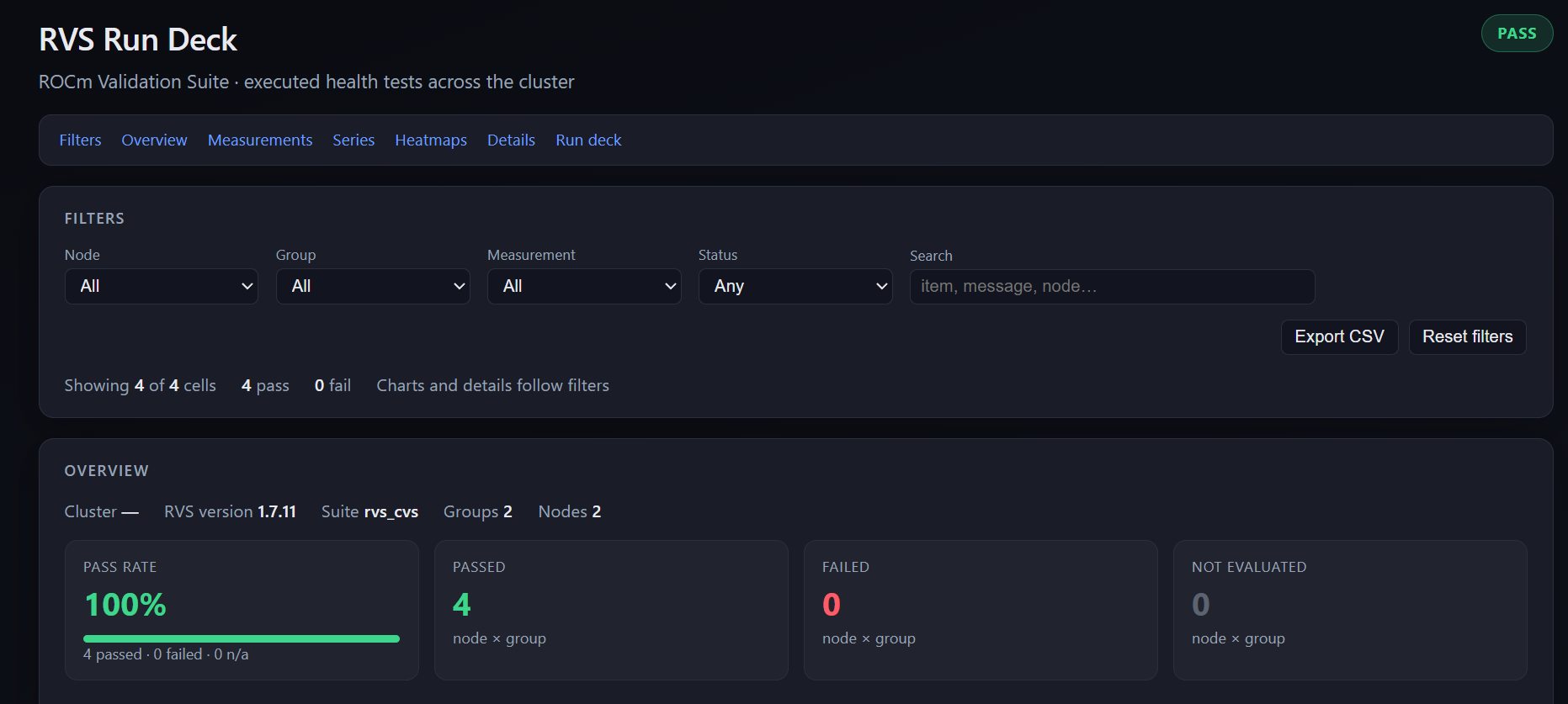
The overview shows the cluster-wide pass rate, pass and fail counts by node-group cell, and filter controls for narrowing results by node, group, measurement, or status.
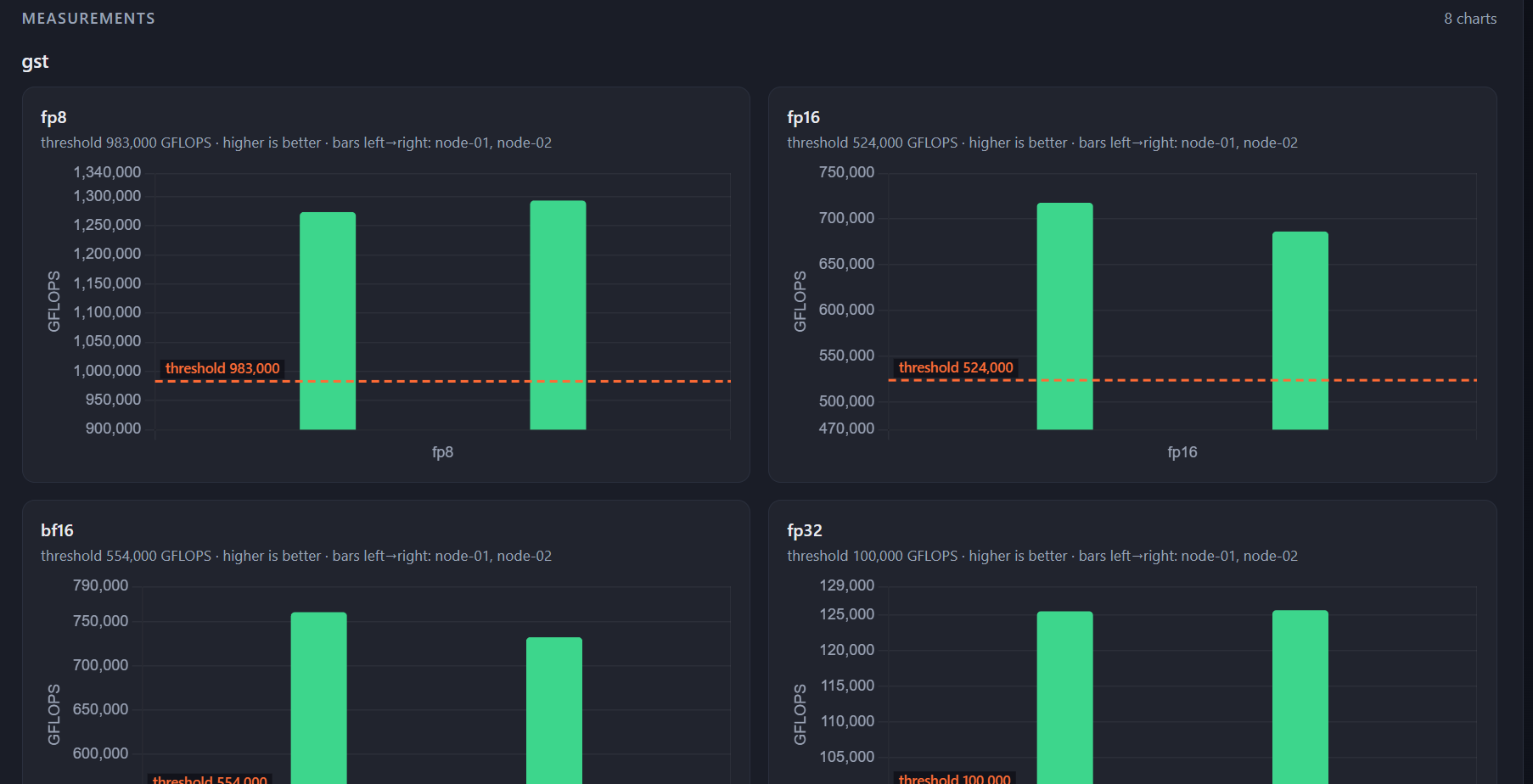
The measurements view shows one bar chart per precision type (fp8, fp16, bf16, fp32) with per-node bars and a dashed acceptance threshold line.
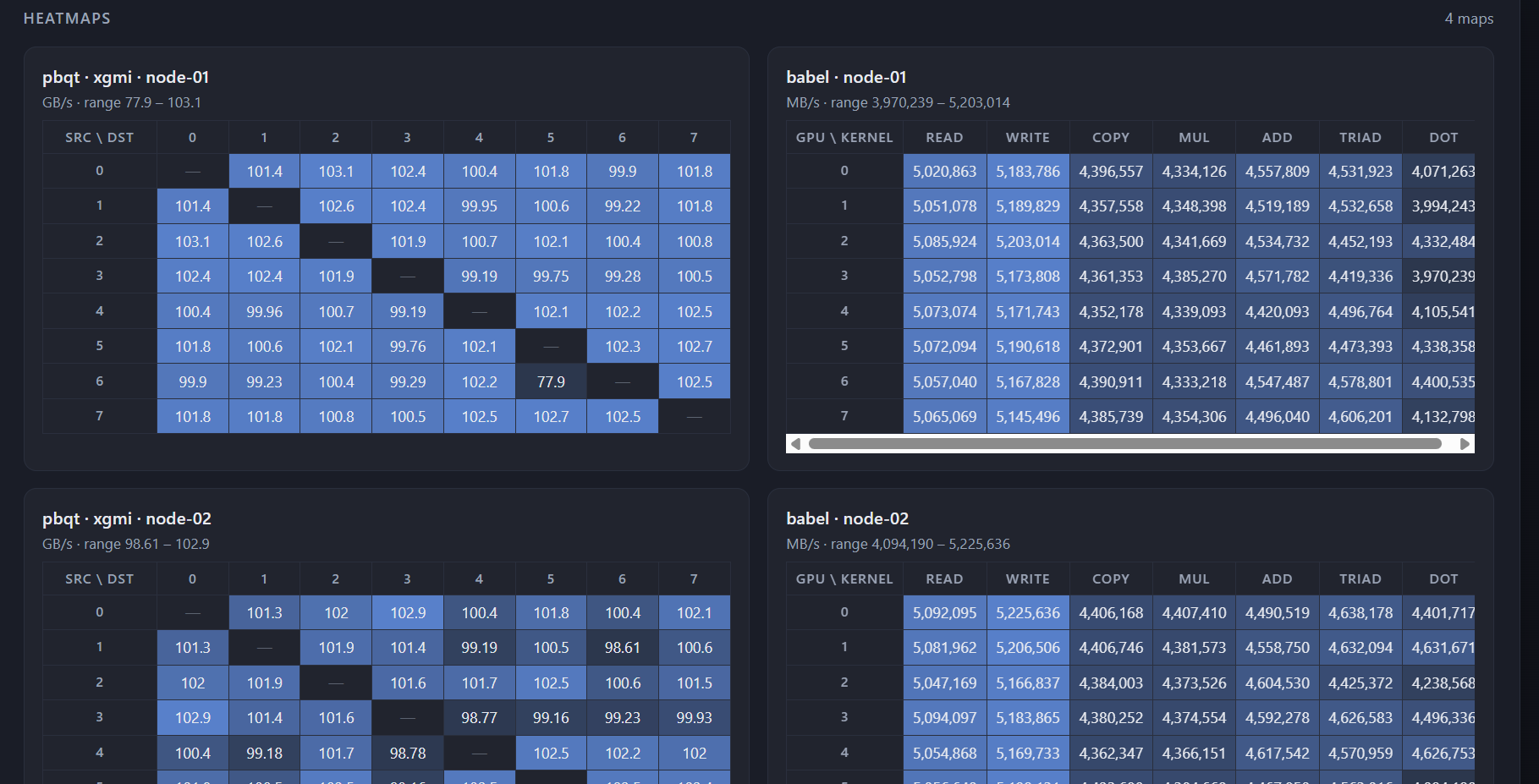
The heatmaps view shows peer-to-peer bandwidth matrices for PBQT xGMI (GPU-to-GPU, in GB/s) and memory bandwidth tables for Babel (read, write, copy, and compute kernels, in MB/s), one panel per node.
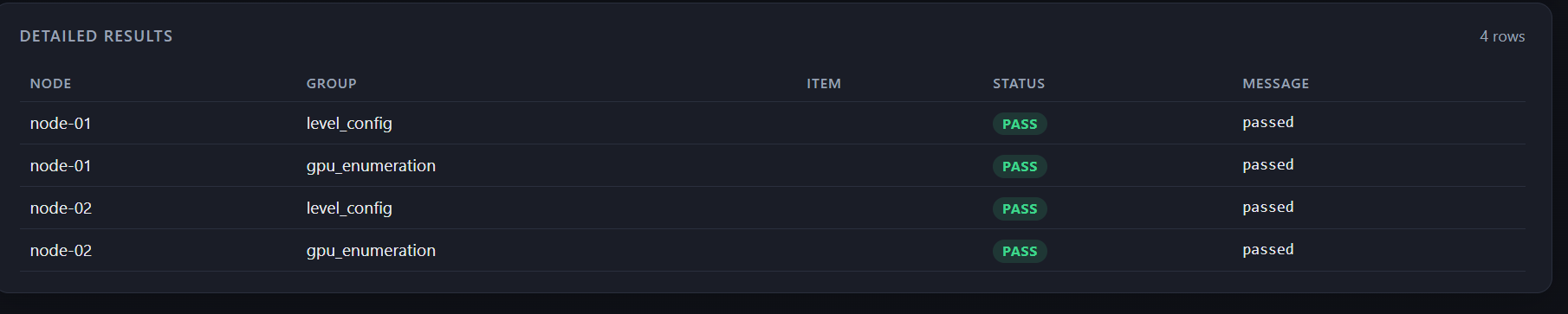
The detailed results table lists every node-group cell with its pass or fail status and the message returned by RVS.