Test the RAG pipelines with Open WebUI#
2026-04-28
2 min read time
After you’ve executed the ROCm-RAG pipelines, you can test them with Open WebUI. When your retrieval pipeline is up and running (make sure all components are ready by checking the logs), you can access the Open-WebUI frontend by navigating to https://<Your deploy machine IP> or http://<Your deploy machine IP>:8080.
When you set up a new Open WebUI account, your user data is saved to /rag-workspace/rocm-rag/external/open-webui/backend/data.
Set up and test pipelines with Open WebUI#
Go to the Admin panel.
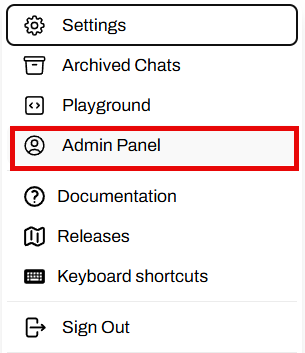
Enable user sign-ups.
Select Enable User Sign Ups to allow new user registration. User data saves to
/rag-workspace/rocm-rag/external/open-webui/backend/data/webui.db:
Add the APIs to the RAG server.
By default, Haystack is running on port
1416and LangGraph is running on port20000: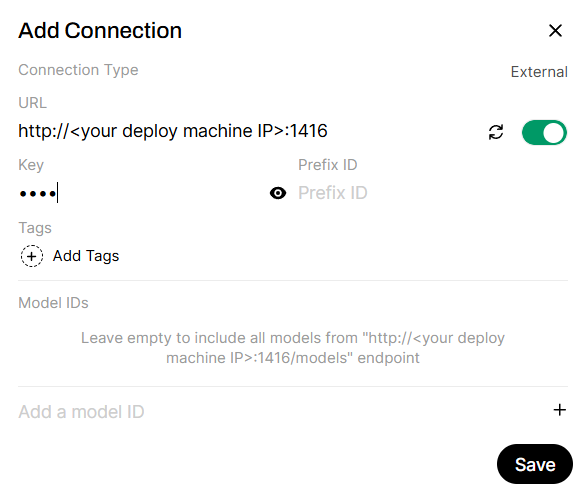
Add APIs to the example LLM server.
If
ROCM_RAG_USE_EXAMPLE_LLM=True, use the default API URL. Otherwise, replace this API URL with your inference server URL: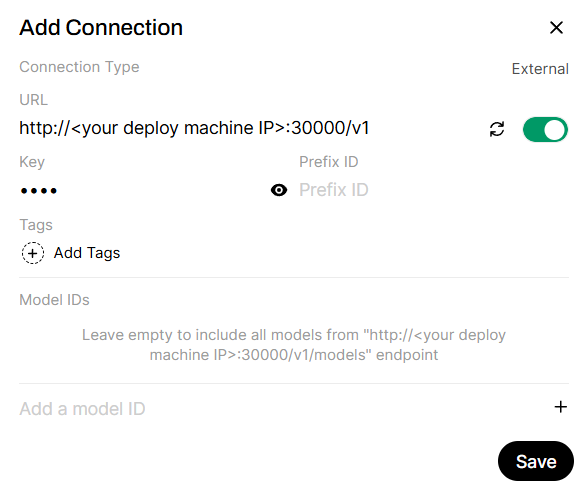
API endpoints
Here are the IPs used in this example:
http://<Your deploy machine IP>:1416 -> Haystack server, provides ROCm-RAG-Haystack if Haystack is chosen as RAG framework
http://<Your deploy machine IP>:20000/v1 -> LangGraph server, provides ROCm-RAG-LangGraph if LangGraph is chosen as RAG framework
http://<Your deploy machine IP>:30000/v1 -> Qwen/Qwen3-30B-A3B-Instruct-2507 inferencing server if ROCM_RAG_USE_EXAMPLE_LLM=True
Available models
Here’s a list of models provided by these APIs. This is retrieved by calling
http GET API_URL:PORT/v1/models: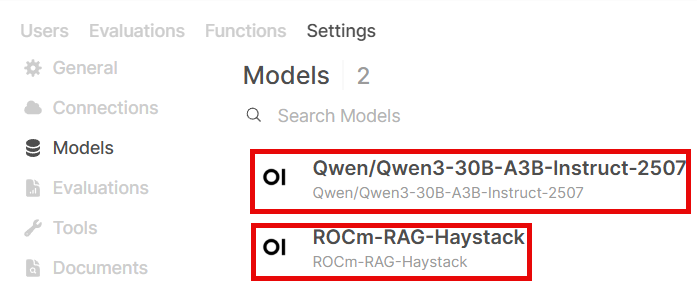
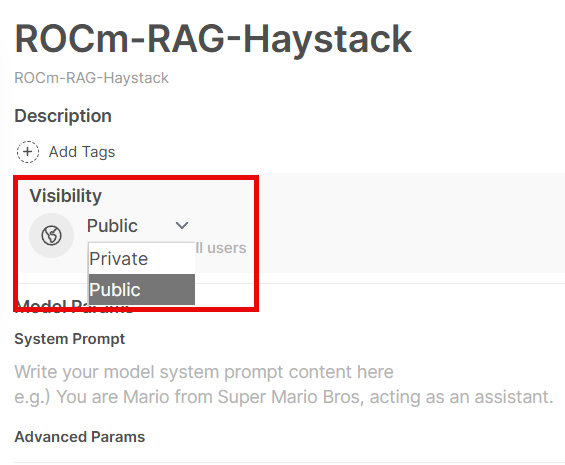
Model settings
By default, models are only accessible by admin. Make sure you share the model to public (all registered users) or private groups:
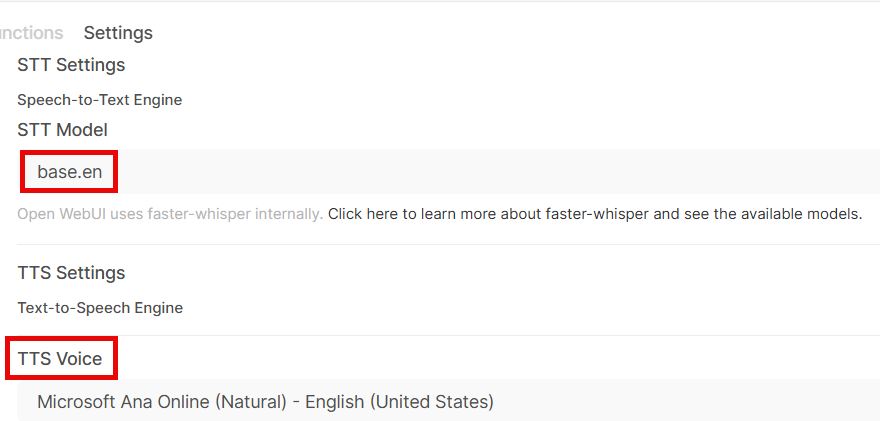
Configure audio settings.
Select which fast whisper model (here’s a list of models provided by fast-whisper) and which TTS voice to use:
Compare RAG pipeline against direct LLM responses#
You can test the accuracy of the ROCm-RAG pipelines through direct LLM responses.
Test direct LLM response#
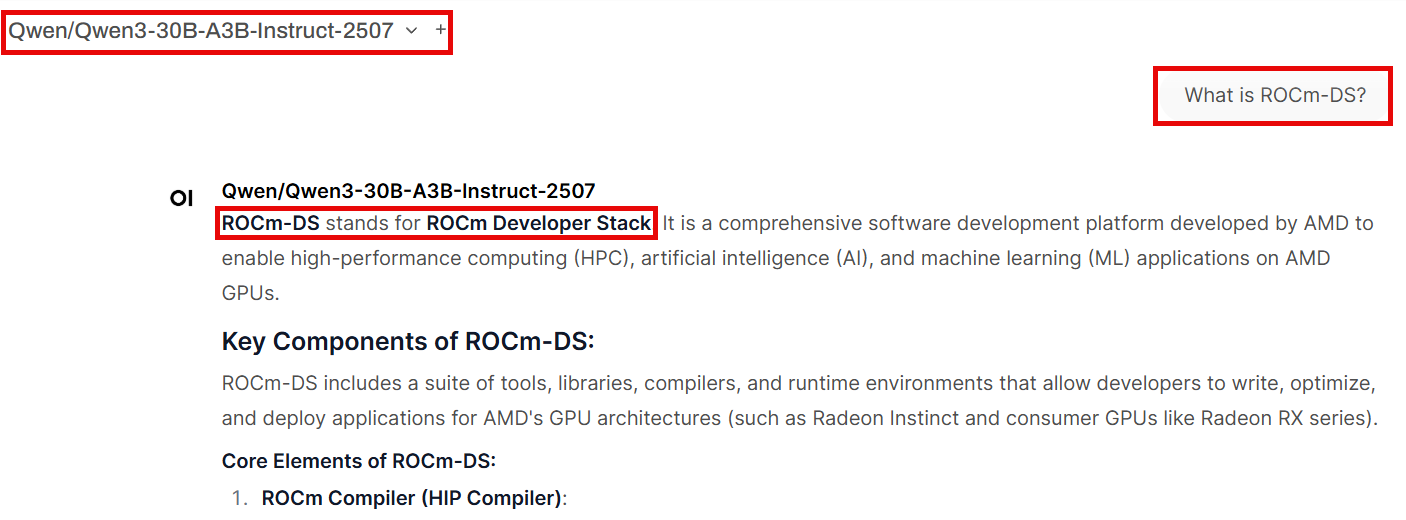
As an example, select Qwen/Qwen3-30B-A3B-Instruct-2507 from the model drop-down and ask: What is ROCm-DS?. Since ROCm-DS is a newer GPU-accelerated data science toolkit by AMD, the direct LLM output may contain hallucinations:
Test RAG-enhanced response#
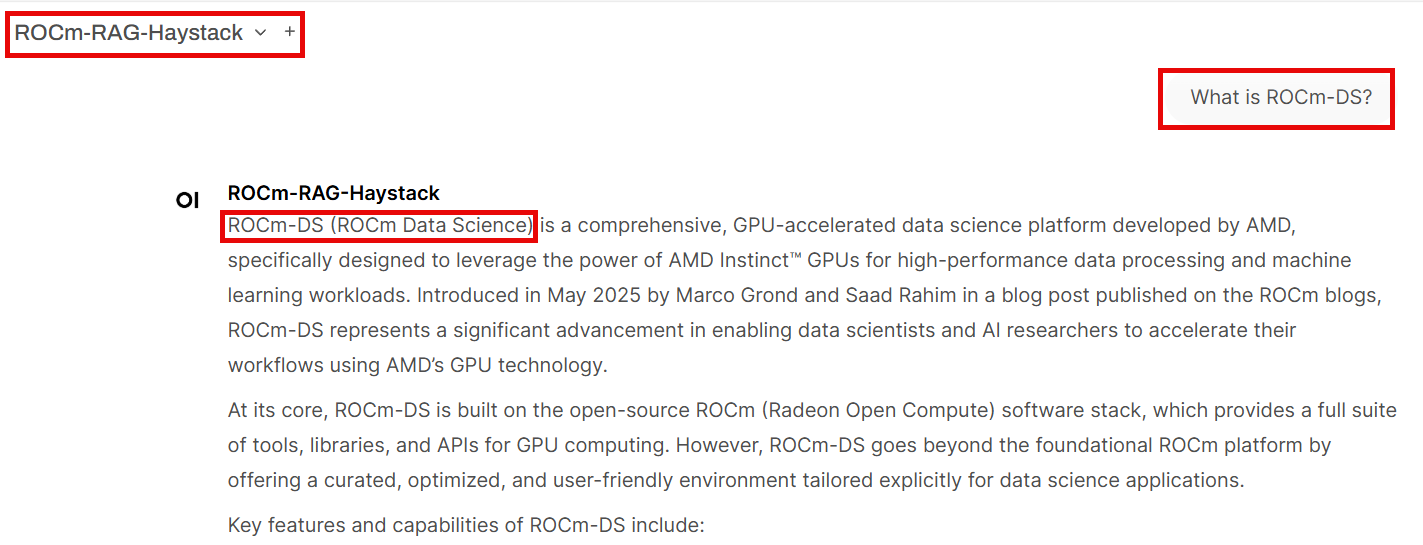
Then ask the LLM What is ROCm-DS? using a ROCm-RAG-* model. The RAG pipeline returns the correct definition of ROCm-DS, leveraging the knowledge base built in the previous steps:
Verify the results#
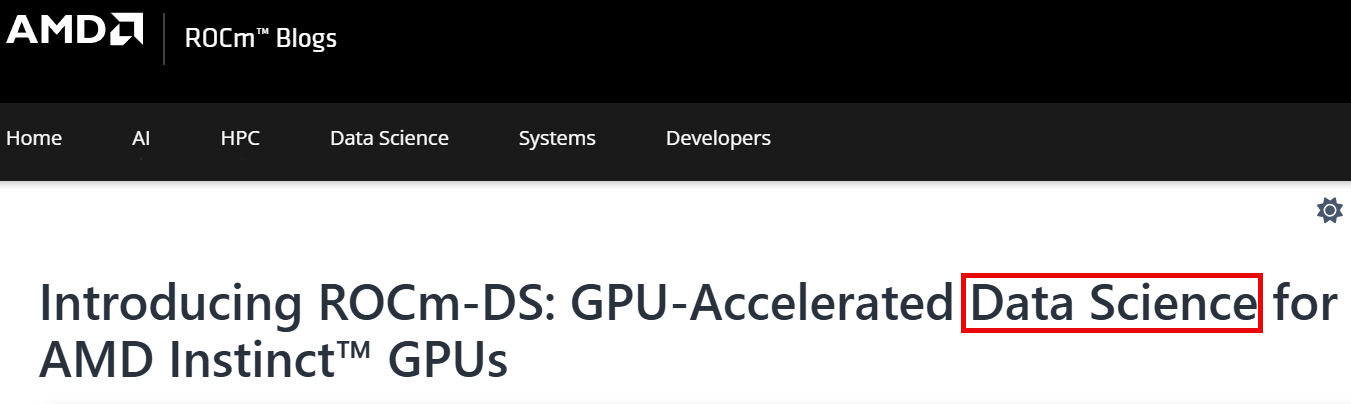
This screenshot of the ROCm-DS blog page confirms that the correct definition of ROCm-DS refers to AMD’s GPU-accelerated data science toolkit: