Run Cluster Validation Suite (CVS) distributed training test suites#
2026-10-26
3 min read time
Distributed training benchmarks validate multi-node GPU training before production jobs.
See also Run Cluster Validation Suite (CVS) test suites on AMD Instinct GPU clusters for common cvs run flags and workflow.
Common prerequisites#
These prerequisites apply to every training suite. Each suite page lists only its additional requirements.
On every GPU node:
Docker, with the SSH user able to run it through passwordless
sudo dockeror membership in thedockergroup.The host ROCm driver loaded, so
/dev/kfd,/dev/dri/*, and/dev/infiniband/*when the workload uses RDMA are available for device passthrough.The suite container image loaded on the node or pullable from a reachable registry.
On the machine where you run cvs run:
CVS installed (see Install Cluster Validation Suite (CVS) on ROCm).
SSH key access to every cluster node.
For a distributed run, RDMA interfaces must be configured and reachable on every node.
Test results#
Sample output snapshots from a training run.
Important
The numbers in these sample reports and screenshots (throughput, loss, step time, and every other metric) are illustrative sample values, not final tuned results. They are shown only to illustrate the report layout.
HTML test report#
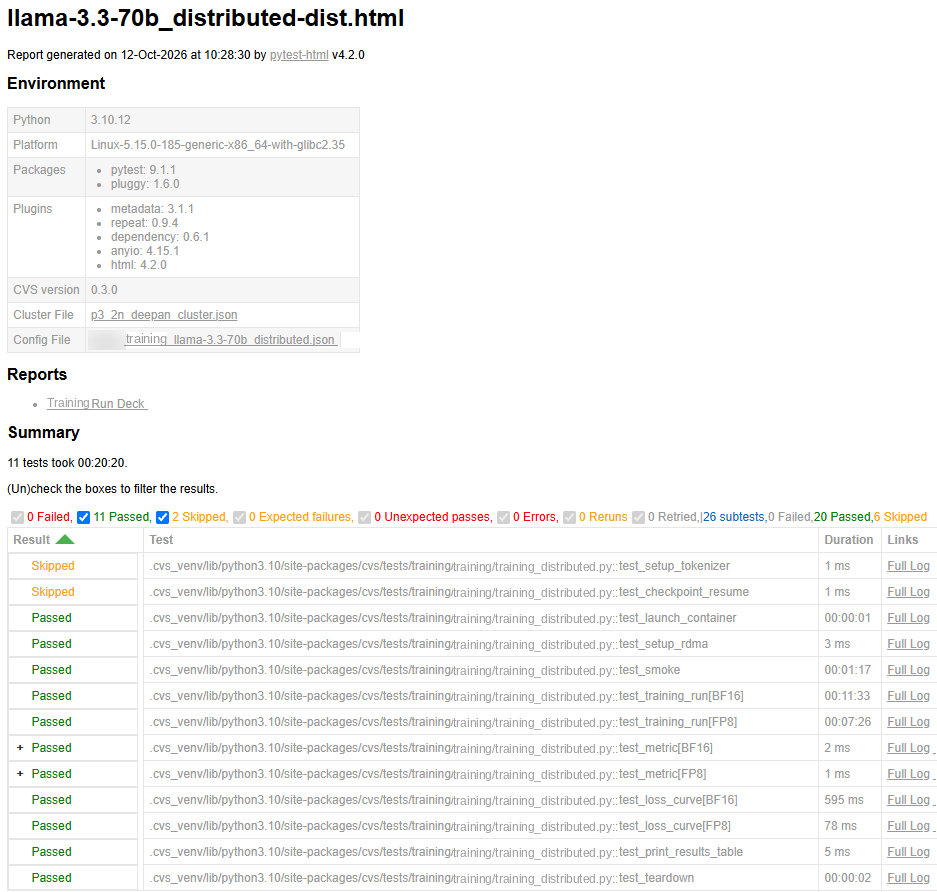
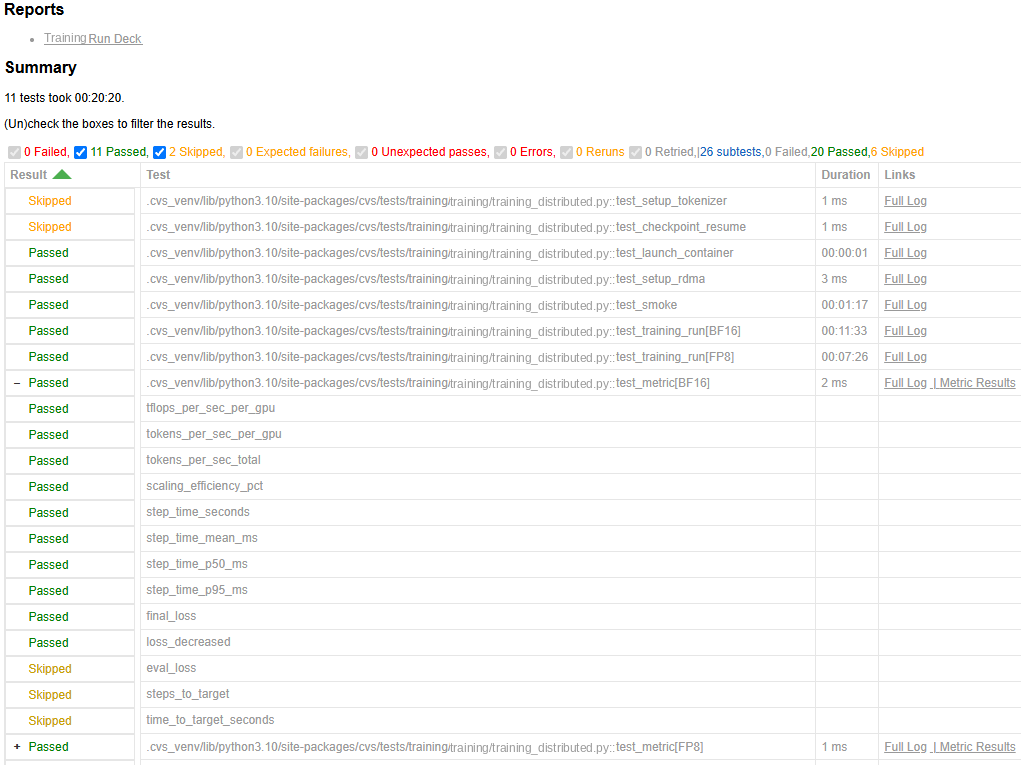
Per-metric subtests
Each test_metric row expands to show every metric as its own pass, fail, or
skip verdict.
Per-metric subtests - collapsed:
Per-metric subtests - expanded:
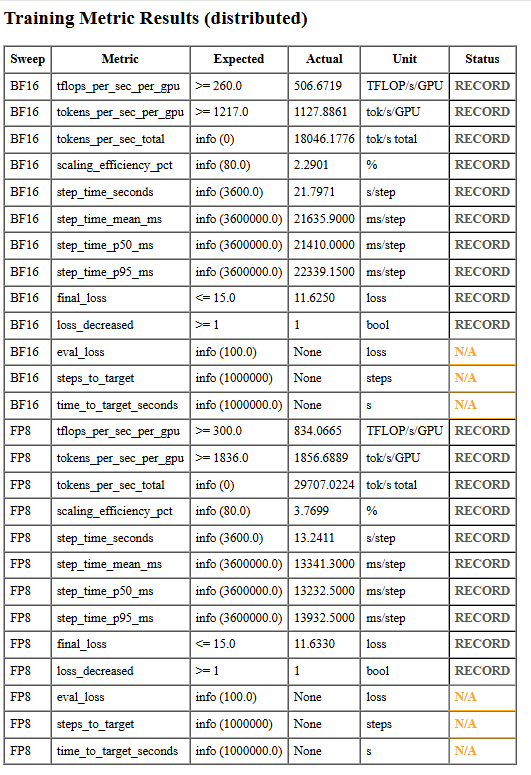
Metric results table:
Run Deck report#
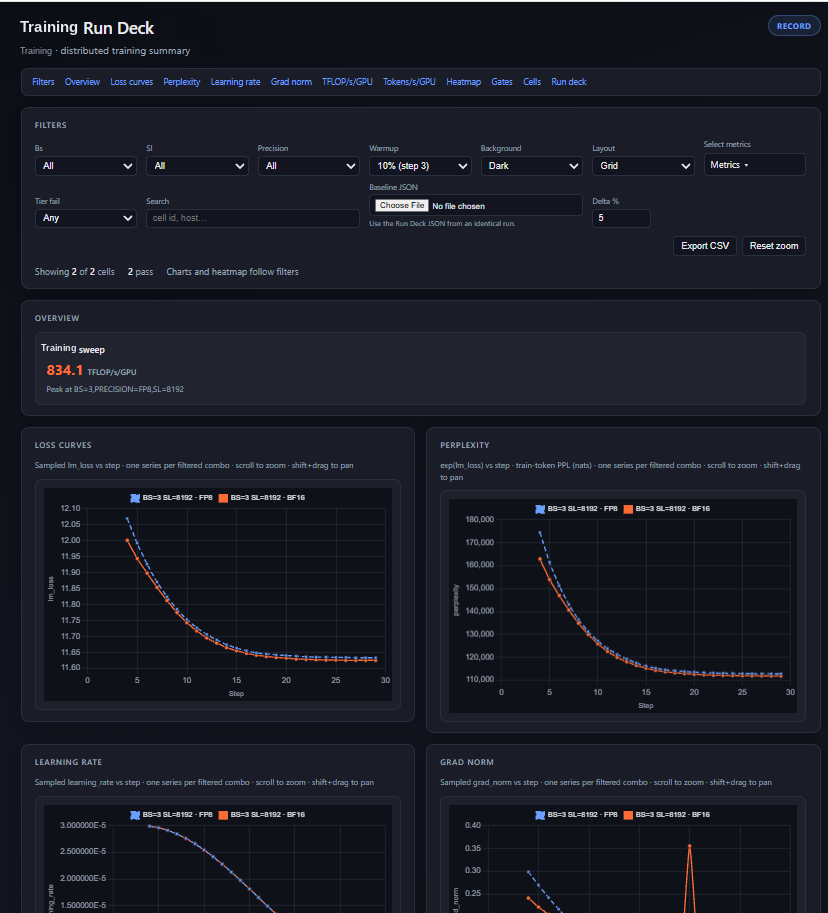
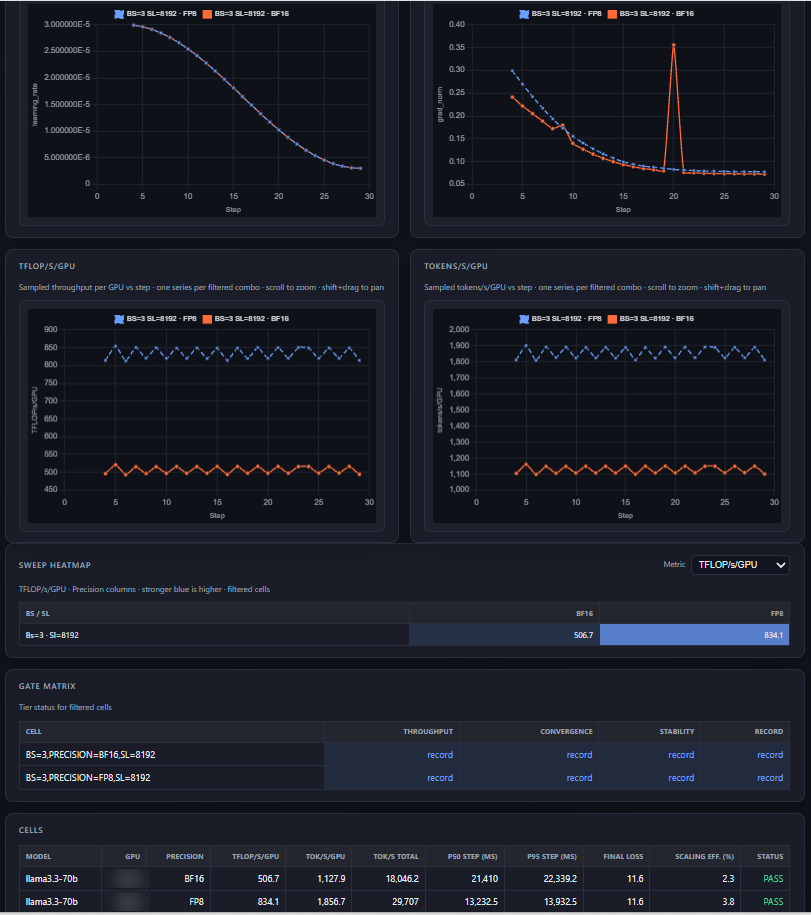
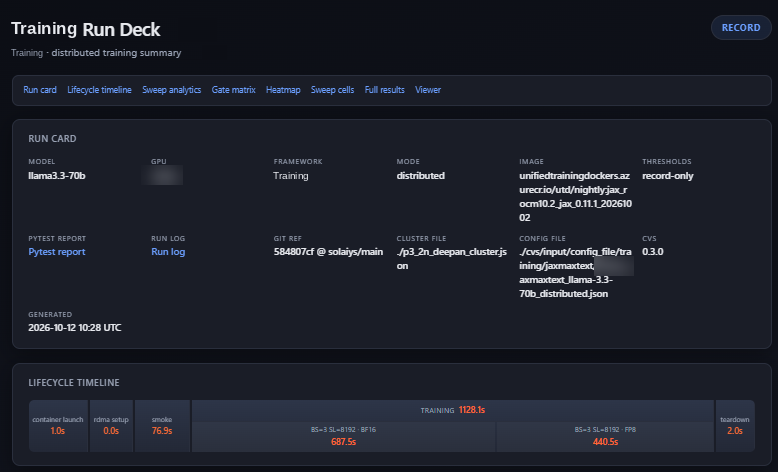
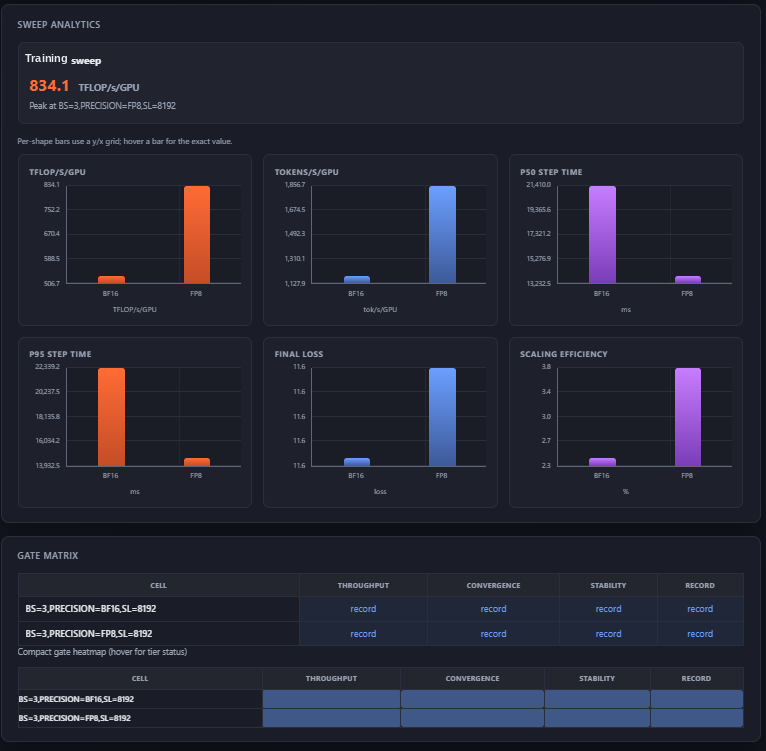
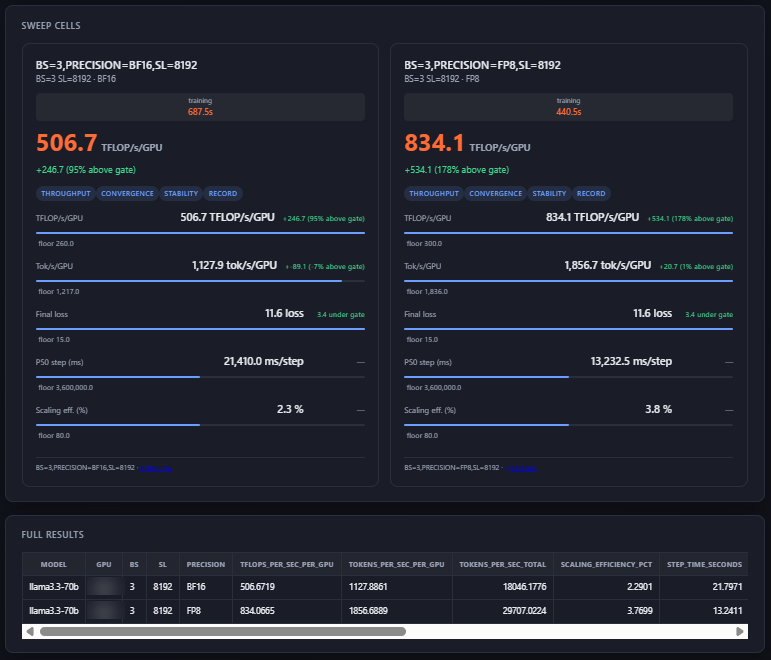
The Run Deck dashboard: run card, lifecycle timeline, sweep analytics charts, gate matrix, per-sweep cells and full results.
Run Deck interactive viewer#
The interactive viewer: per-step loss, learning-rate, grad-norm, throughput, and token graphs, with background / layout / metric-selector controls.